
玩客云刷istoreOs我也尝试过虽然能成功安装上但是很多插件装不上,我看了网上说不支持32位了。
然后我看到一个刷玩客云装宝塔7.4的帖子
首先玩客云刷入Armbian,网上有详细教程我这里就不说了
Armbian下载地址:https://github.com/hzyitc/armbian-onecloud/releases
安装宝塔提示需要改install.sh,把判断64位的代码注释了。
虽然能强行安装了,过了好大半天结果是最新版本宝塔不知道是不是不兼容登录不上
宝塔可能行不通了,正好有1panel
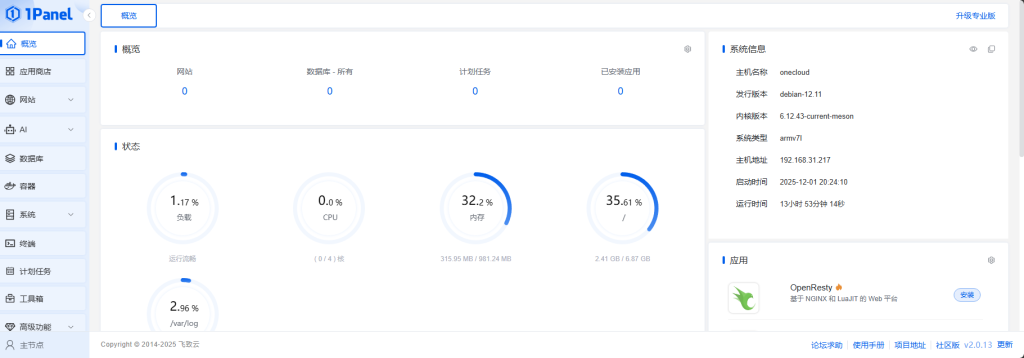
1panel成功安装
然后进行内网穿透,我们使用frp
frp下载地址:https://github.com/fatedier/frp/releases
(客户端)我们玩客云要选择frp_0.65.0_linux_arm.tar.gz不要带64
(服务器)如果是64位就在下一个64位包
服务端frps.toml配置
[common]
#主端口(可以自定义)
bind_port = 6000
#token 如果配置了,后文客户端需要配置成一致的
token = 132456123

# frp管理后台端口,请按自己需求更改
dashboard_port = 7500
# frp管理后台用户名和密码,请改成自己的
dashboard_user = admin
dashboard_pwd = admin123456
enable_prometheus = true
客户端frpc.toml配置
serverAddr = "8.148.74.85"
#服务器端IP
serverPort = 6000
#和服务端一致
auth.token = " 132456123"
#和服务端一致
[[proxies]]
name = "test-tcp"
type = "tcp"
localIP = "127.0.0.1"
localPort = 22
#客户端本地端口
remotePort = 8281
#此处名称可自定义

[[proxies]]
name = "test-tcp1"
type = "tcp"
localIP = "127.0.0.1"
localPort = 18923
remotePort = 18923
[[proxies]]
name = "test-40728"
type = "tcp"
localIP = "127.0.0.1"
localPort = 40728
remotePort = 40728
保持运行
(服务端)宝塔:在软件商城下载‘进程守护管理器’,设置运行命令
nohup ./frps -c frps.toml(客户端)1panel:工具箱-进程守护-安装‘Supervisor’记得一定要初始化重启后即可,设置运行命令
nohup ./frpc -c frpc.toml
注意
1.新增了端口重启客户端命令
2.客户端和服务端保持端口放行
3.分清楚客户端c和服务器r别把文件搞错了
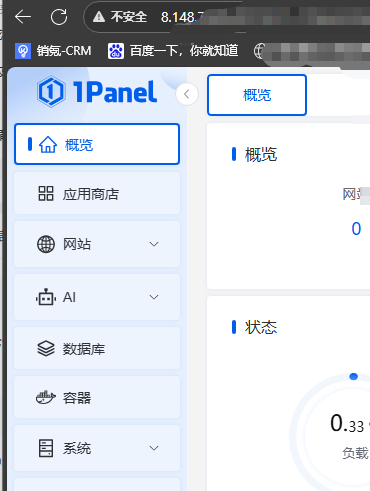
最后成功穿透
© 版权声明
文章版权归作者所有,未经允许请勿转载。
THE END




暂无评论内容